
WordPress sites can quickly get bloated with plugins. I’ve been there
I was focusing so much on SEO and didn’t noticed that I am using separate plugins for SEO, redirects, schema, table of contents, analytics, and internal linking.
Each plugin solved one feature problem, but together these plugins slowed down my website, and made the site harder to manage.
That’s when I started looking at Rank Math differently. Instead of adding more plugins, I realized it could handle many of these tasks on its own.
Although I had switched from Yoast to Rank Math, I didn’t explored everything it offers.
In this article, I’ll walk you through what I replaced, how migrating to Rank Math helps, and where it still makes sense to use a dedicated plugin.
Table of Contents
Why Too Many Plugins Become a Problem
When I started my website, I kept things simple. I only used two plugins, one for blocks and one for SEO.
In the beginning, everything worked smoothly. I published a few articles and the site loaded fast without any noticeable issues.
As I started improving the content, I added a table of contents for better readability and used the block plugin to create FAQ sections. These were small additions, and at that stage, they didn’t really affect performance.
The real problem started later, when the site grew to around 100 articles.
I wanted to improve the design of the website pages, so I installed Elementor. After that, I added a security plugin, a broken link checker, Google search console plugin as well. That’s when I began to notice a difference. The site wasn’t as fast as before, and even the dashboard started to feel heavier.
At that point, it became clear that the issue wasn’t a single plugin. It was the total number of plugins working together.
Being a developer in my early days and then product manager, I have learned that every plugin adds its own scripts, styles, and background processes. On top of that, managing updates, handling compatibility issues, and troubleshooting conflicts takes extra time.
This is usually the stage where site owners realize that adding random plugins is not always the best solution.
Instead, it makes more sense to simplify the setup and reduce dependency on multiple plugins wherever possible. And I did the same.
Why Migrating to Rank Math Makes a Difference

Rank Math is usually known as an SEO plugin, but that description doesn’t fully explain what it actually does. When I started using it, I realized it goes beyond basic SEO settings and brings multiple things together in one place.
It combines technical SEO tools, content optimization features, and a few site management functions that you would normally handle with separate plugins. That’s what makes it stand out.
Most WordPress plugins I installed were built to solve one specific problem.
I installed one for redirects, another for schema, another for table of contents, and so on.
Rank Math plugin helped me take a better approach. Instead of focusing on just one area, it covers several of these common needs inside a single plugin.
The biggest difference I noticed was in the workflow. Instead of jumping between multiple plugins and dashboards, I could manage a lot of things from one place. It made the setup simpler and easier to handle as the site grew.
My Old Plugin Stack
Before I switched to Rank Math, my setup looked like what most WordPress sites eventually turn into. A mix of plugins, each handling one small SEO or optimization task.
Here’s what my active stack used to include just for SEO‑related and helper tasks (leaving out core tools like Elementor and WooCommerce)
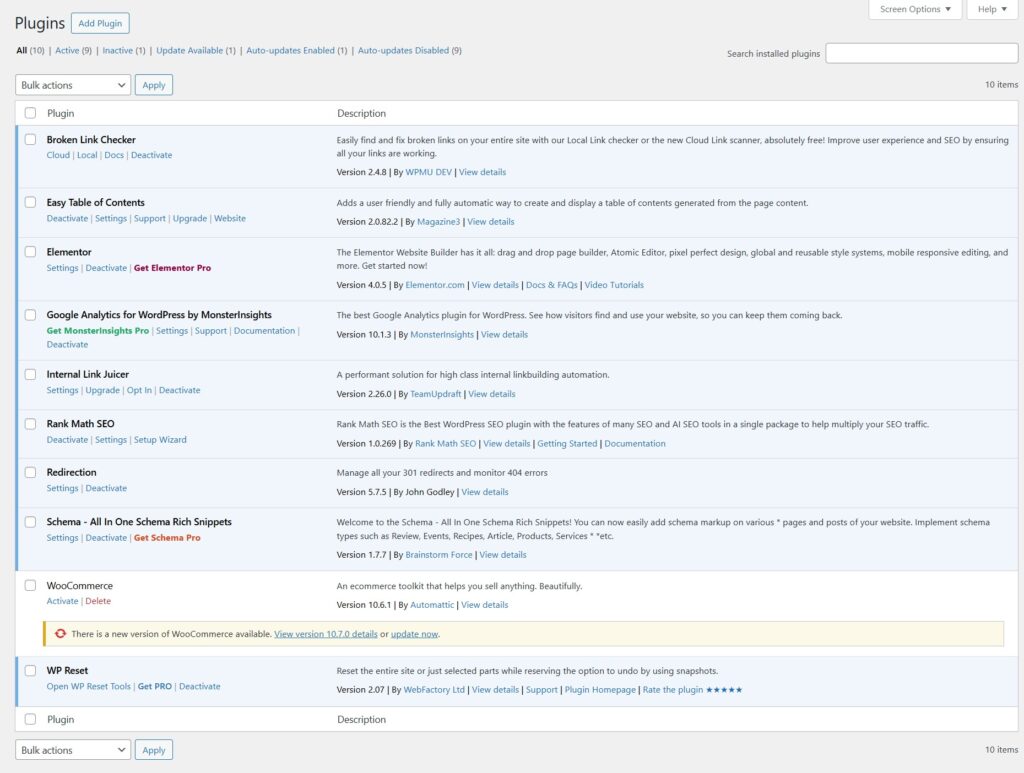
At first, this stack felt normal. Each plugin solved a specific problem, so installing another one always felt justified.
But over time I started to notice a few things:
- The Plugins screen kept getting longer.
- The admin area felt a bit heavier, especially on content-heavy sites.
- SEO‑related settings were scattered across multiple menus and UIs.
When I looked at that screenshot of my active plugins, it hit me: I was basically using Rank Math alongside a bunch of plugins that overlapped with features already available inside Rank Math.
So I ran a small experiment.
For new posts and site changes, I forced myself to use Rank Math first:
- Instead of opening Easy Table of Contents, I tested Rank Math’s TOC block.
- Instead of creating redirects in Redirection, I used Rank Math’s redirect options.
- Instead of relying on Broken Link Checker, I watched Rank Math’s 404 Monitor logs.
- Instead of setting up schema in Schema – All In One Schema Rich Snippets, I used Rank Math’s schema settings.
- Instead of auto‑linking with Internal Link Juicer, I tried Rank Math’s internal link suggestions.
- Instead of checking reports in MonsterInsights, I used Rank Math’s analytics-style views plus native GA/Search Console.
Within a few weeks, a pattern emerged: I was spending almost all my time inside Rank Math and barely opening the other plugins.
The before-and-after looked like this:
Before Rank Math consolidation:
- 6+ separate plugins touching SEO, links, schema, or analytics.
- Different UIs, settings pages, and update cycles.
- More scripts and background processes running.
After consolidation around Rank Math:
- Rank Math as the main SEO + utility layer.
- Most auxiliary plugins deactivated.
- One primary UI for redirects, schema, TOC, internal links, and basic analytics.
In terms of speed, the change wasn’t some magical “instant 2x faster” moment.
But the admin felt snappier, there were fewer plugin conflict worries, and debugging SEO issues became simpler because I had one main place to look.
More importantly, my workflow became clearer:
When I’m working on SEO or content structure, I open Rank Math first.
Everything else is there only if it adds something genuinely unique that Rank Math can’t cover.
The 6 Plugins Rank Math Can Help Replace
The best way to understand Rank Math’s value is to look at the types of plugins it can reduce or replace.
It will not always fully replace every specialized tool, but it can cover the core use case for many sites.
Here are the main plugin categories it can help consolidate:
- Table of contents plugin.
- Redirect plugin.
- Broken link checker tool.
- Schema plugin.
- Internal linking plugin.
- Analytics connector plugin.
1. Easy Table of Contents → Rank Math Table of Contents Block
On my site, I started with Easy Table of Contents because it was the easiest way to add a TOC to long blog posts.
It worked well, but it also meant yet another plugin to configure, update, and debug whenever something looked off in the layout.
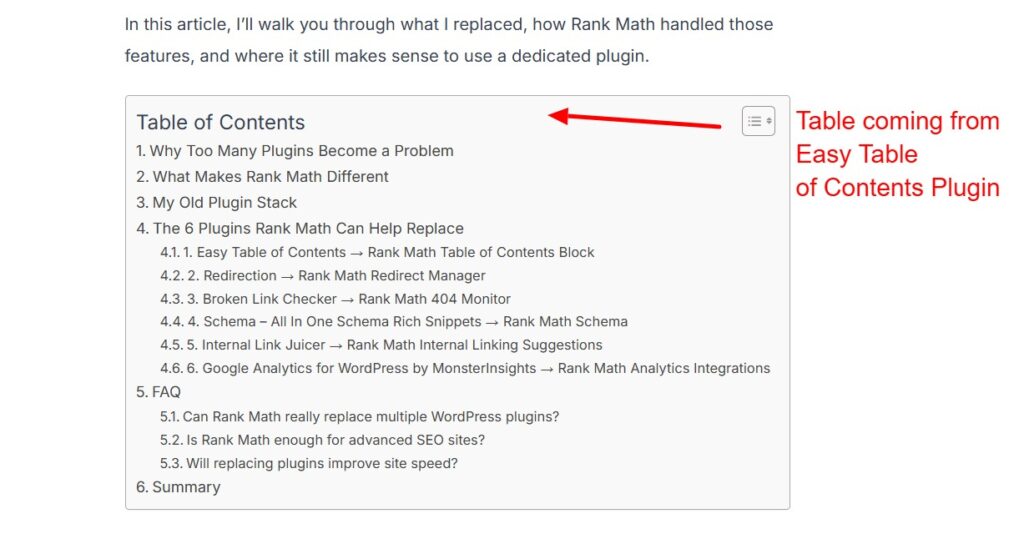
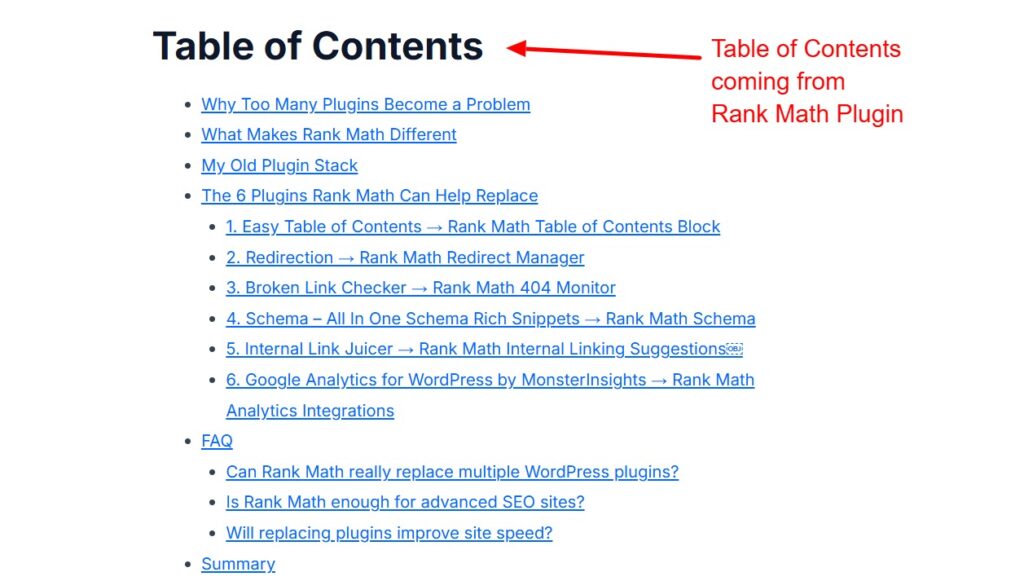
When I switched to Rank Math, I decided to test its Table of Contents block on a few key articles first.
The setup felt simpler. I could add a TOC directly inside the block editor, choose the heading levels, and reorder things visually without digging through a separate settings page.
I also noticed a small but real speed difference on the front end. With one less plugin running its own scripts and options, pages felt a bit leaner, especially on content-heavy posts.
From a customization point of view, Rank Math’s TOC gives me enough control for most use cases:
- Toggle which headings to include.
- Change the title text.
- Adjust basic styling via the block controls and theme CSS.
For my workflow, that was enough to completely replace Easy Table of Contents.
I got the same user experience for readers, a cleaner editor UI for me, and one less plugin to maintain.
2. Redirection → Rank Math Redirect Manager
For years, Redirection was my default choice for managing 301 redirects.
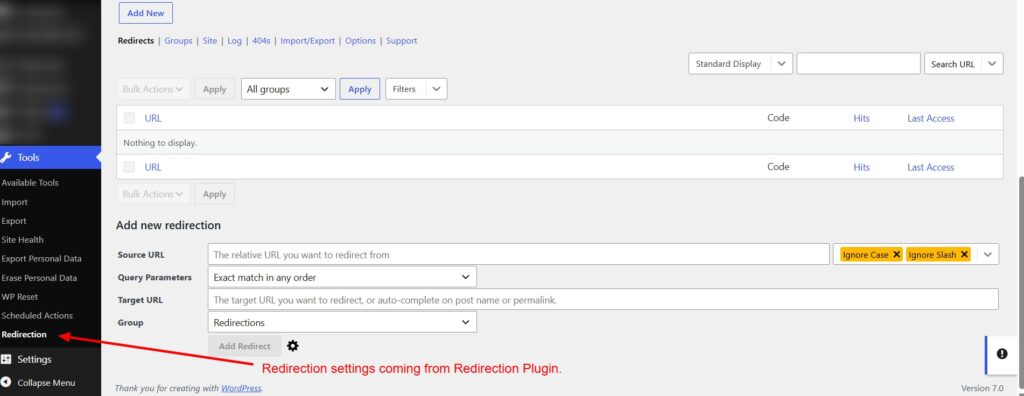
Any time I updated a slug, deleted an old post, or merged two guides, I’d jump into the Redirection screen and map the old URL to the new one.
When Rank Math came into the picture, I was curious whether its redirect features were strong enough to rely on.
So I started small and moved only new redirects into Rank Math while keeping the old ones in Redirection.
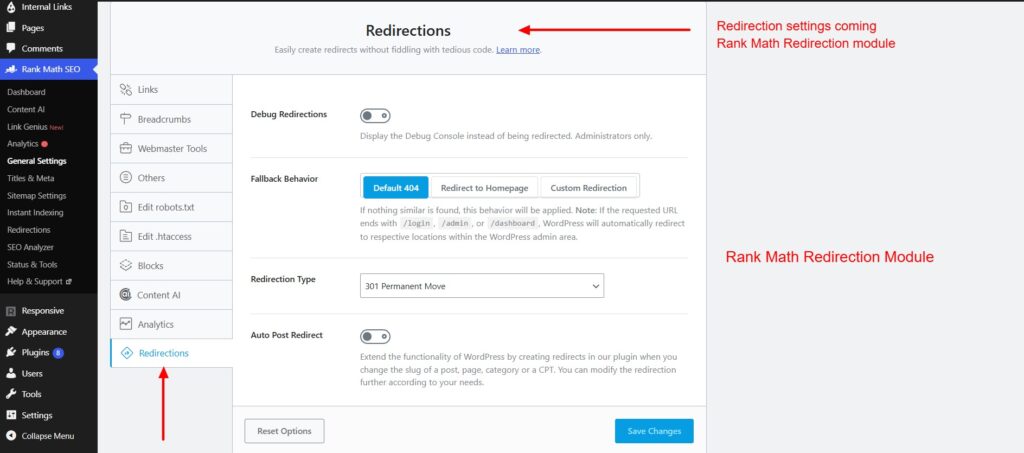
The first thing I liked was having redirects in the same place as my SEO settings. I didn’t have to switch tabs or remember which plugin controlled what. It felt like a more natural part of the content workflow.
In terms of performance, removing Redirection did simplify the stack. One less plugin loading in the admin and running its own checks makes a difference on busy dashboards.
The UI in Rank Math is also straightforward.
I can:
- Add a redirect right from the post editor.
- Choose 301 or 302 with a simple dropdown.
- Tie redirects to 404 logs when I see a pattern of broken URLs.
After a few weeks of using only Rank Math for redirects, I realized I hadn’t opened the Redirection plugin at all.
At that point, it made sense to migrate the remaining rules and deactivate Redirection completely.
3. Broken Link Checker → Rank Math 404 Monitor
I originally installed Broken Link Checker because broken links are one of those problems you only notice when users complain.
The plugin did what it promised. It scanned links in the background and flagged issues.
But the constant scanning added overhead, and on some hosts it noticeably impacted the admin experience.
When I set up Rank Math, I enabled the 404 Monitor and let it run for a while.
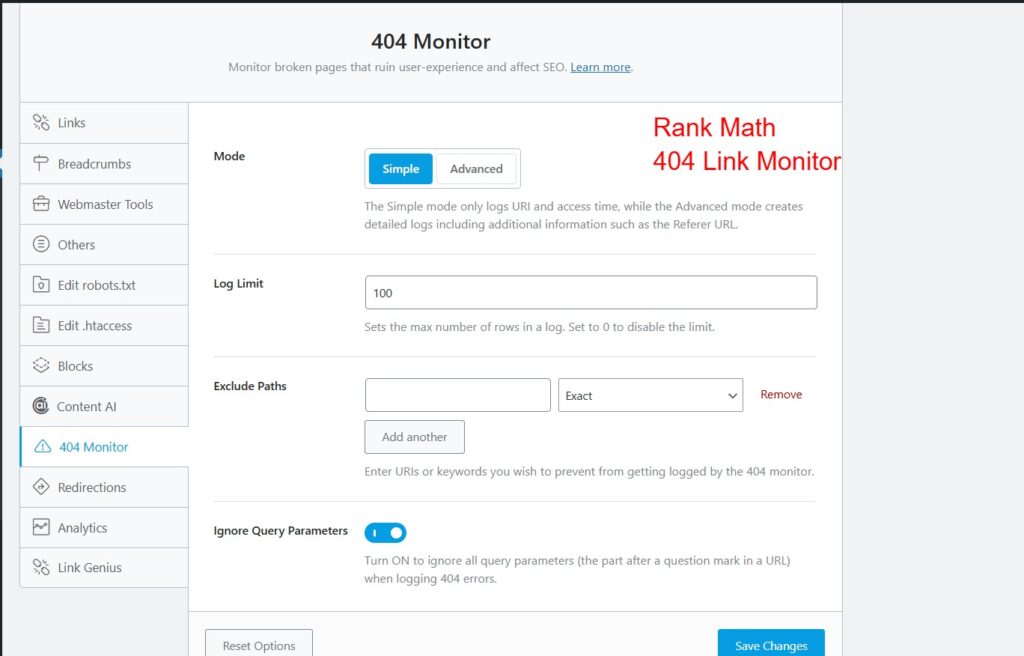
Instead of scanning everything constantly, Rank Math logs real 404 hits. That means I see the URLs that are actually causing errors for visitors and search engines, not just theoretical problems.
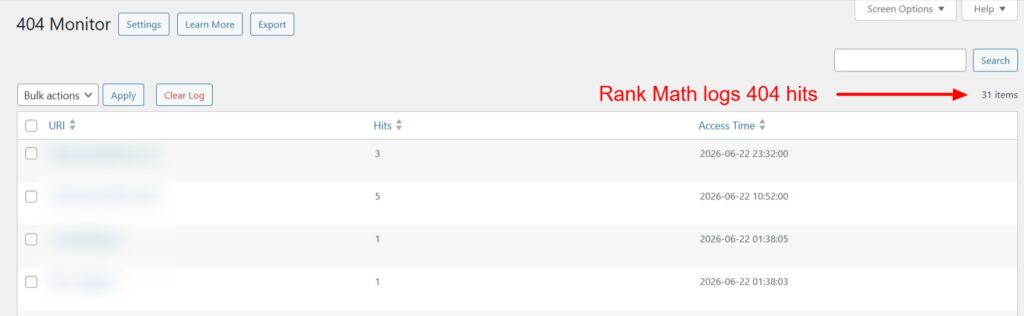
From a speed perspective, this approach felt lighter. My dashboard stopped feeling as sluggish, especially on larger sites with a lot of content.
The UI is simple and practical.
In the 404 log I can:
- See the exact broken URL.
- View the referrer.
- Create a redirect on the spot if it’s a URL I want to fix rather than ignore.
Once I got used to checking the 404 Monitor inside Rank Math, Broken Link Checker became unnecessary.
I didn’t miss it, and my admin area felt cleaner and faster without it.
4. Schema – All In One Schema Rich Snippets → Rank Math Schema
For schema, I leaned on Schema – All In One Schema Rich Snippets to add basic rich snippets for reviews and articles.
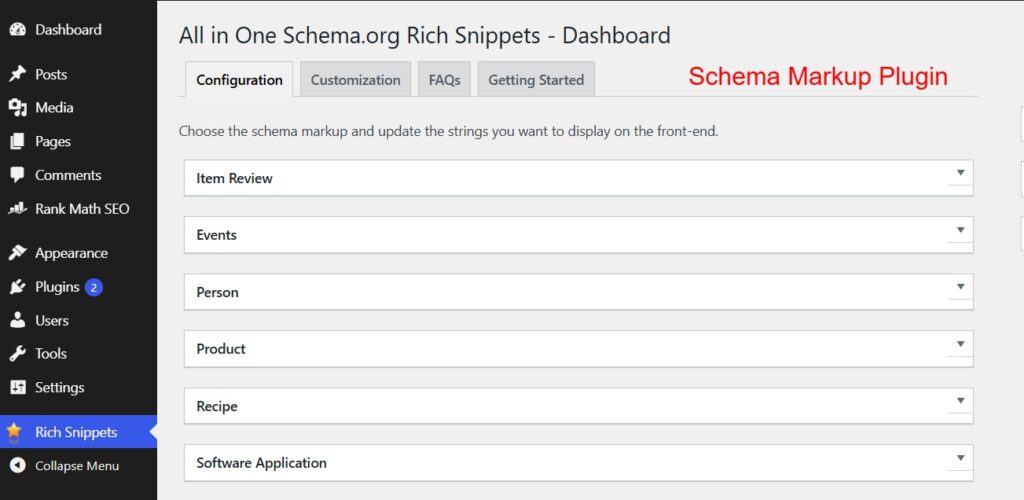
It did a decent job, but it always felt like a bolt‑on solution sitting next to my SEO plugin rather than part of it.
When I tried Rank Math’s schema options, the main difference I noticed was how integrated it felt.
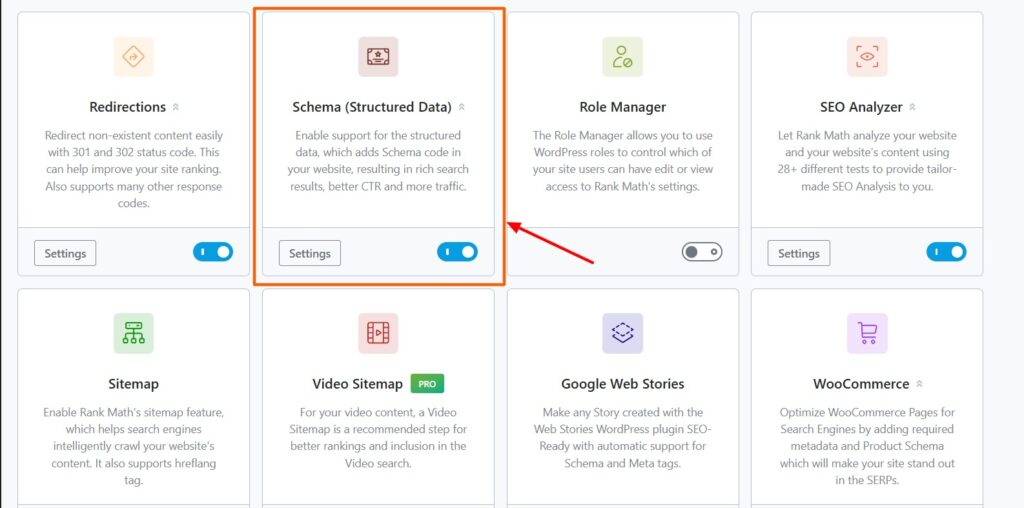
From the post editor, I can pick the schema type, set fields, and preview what’s being output.I don’t have to jump into another plugin’s interface or remember which meta box belongs to which tool.
On the speed side, combining schema and SEO into one plugin helps reduce overhead.
There’s no second plugin loading its own schema engine and meta handling code.
The UI is also clearer for day‑to‑day work.
I can:
- Set default schema types globally (e.g., Article for posts).
- Override schema per post when I need FAQ, Review, Product, etc.
- Keep everything aligned with my SEO titles and descriptions.
I did run into one minor issue early on where I forgot to migrate some old schema settings from the previous plugin.
A quick check in Search Console’s rich results report reminded me which templates needed updating.
After that, I fully switched to Rank Math for schema and deactivated Schema – All In One Schema Rich Snippets.
Having one plugin responsible for both SEO and schema just makes more sense in everyday use.
5. Internal Link Juicer → Rank Math Internal Linking Suggestions
Internal links are a big part of how I structure content, so I originally used Internal Link Juicer to automate some of that work.
It’s powerful, but it also requires careful rules to avoid over‑linking or creating spammy anchors.
When I started testing Rank Math’s internal linking suggestions, I noticed a different style of workflow.
Instead of auto‑linking everything in the background, Rank Math gives me contextual suggestions as I write or edit posts.
It feels more intentional and less “set and forget”.
From a UI standpoint, this is more comfortable for me.
I can:
- See recommended posts to link to based on the current content.
- Choose where the link appears.
- Keep anchor text natural instead of relying on automatic replacement rules.
Speed-wise, reducing one more automation plugin helps keep things lean.
Internal Link Juicer isn’t heavy by itself, but when you have many plugins, every bit of saved processing matters.
I did notice that Rank Math’s suggestions work best once you have a decent content library. On smaller sites, it takes a bit of time before the recommendations become truly useful.
After a few months of using the suggestion-based approach, I realized I preferred the control it gave me.
So I turned off Internal Link Juicer and kept internal linking inside Rank Math.
6. Google Analytics for WordPress by MonsterInsights → Rank Math Analytics Integrations
For analytics, my default setup was Google Analytics for WordPress by MonsterInsights.
It made it easy to drop GA on the site and view key numbers in the WordPress dashboard.
When Rank Math added analytics-style integrations, I decided to experiment.

I connected Search Console and started using Rank Math’s reports as my “quick view” of performance.
For deeper analysis, I still go into GA or Search Console directly, but for a fast check, the Rank Math panel is enough.
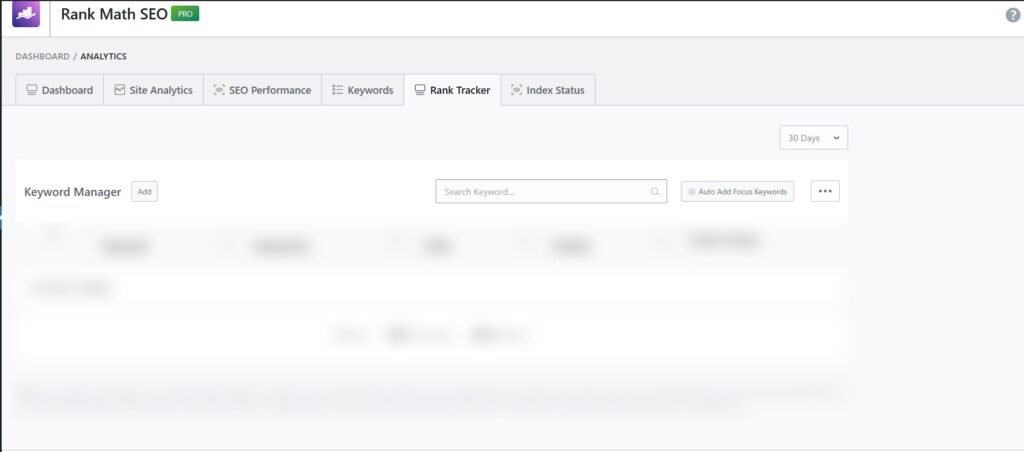
From a UI perspective, it’s nice having SEO data and basic performance in one place.
I don’t have to teach clients two different interfaces when they just want to know “Is this post performing better?” or “Which pages are getting clicks?”.
Performance-wise, removing MonsterInsights trimmed one more plugin that loaded scripts and dashboards. The site still uses GA, but the integration is handled more centrally.
The experience that convinced me to drop MonsterInsights was a simple one:
I realized I was opening Rank Math’s analytics more often than the MonsterInsights screen.
If I’m not using a plugin’s UI anymore, it probably doesn’t need to be active.
Now Rank Math handles my basic SEO + performance overview, and the heavy lifting still lives in native GA and Search Console where it belongs.
That’s it.
I have covered all the plugins that I could deactivate by migrating to Rank Math and speed up my website.
The process was simple and it has definitely helped in improving my website workflow. I don’t need to worry about handling plugins anymore.
FAQ
Can Rank Math really replace multiple WordPress plugins?
Yes, for many common SEO and content tasks, Rank Math can replace separate plugins by bundling features like TOC, redirects, schema, sitemaps, and 404 monitoring.
Is Rank Math enough for advanced SEO sites?
It is enough for many blogs and business sites, but advanced setups may still need specialized tools for deeper crawling, reporting, or custom workflows.
Will replacing plugins improve site speed?
Reducing plugin count can help simplify maintenance and may reduce overhead, especially when several plugins overlap in purpose.
Summary
Rank Math is more than an SEO plugin.
For many WordPress sites, it can serve as a plugin consolidation layer that replaces several separate tools for table of contents, 301 redirects, 404 monitoring, schema markup, sitemaps, internal linking, and basic SEO checks.
If your site feels cluttered with overlapping plugins, this technique is worth exploring. A leaner setup can be easier to manage, easier to update, and easier to scale as your content grows.
Recommended Reading:
