
Looking for an honest review about Responsive Addons for Elementor plugin?
I have used many addons for Elementor plugins and therefore while writing the review for Responsive Addons for Elementor plugin, I had enough information about our popular Elementor addons available in the WordPress repository.
This is not a promotion post or a biased review for a plugin.
All the points written in this review are after using the plugin on real websites and testing plugin on many factors liek speed, performance, number of widgets and issues encountered.
What is Responsive Addons for Elementor Plugin?
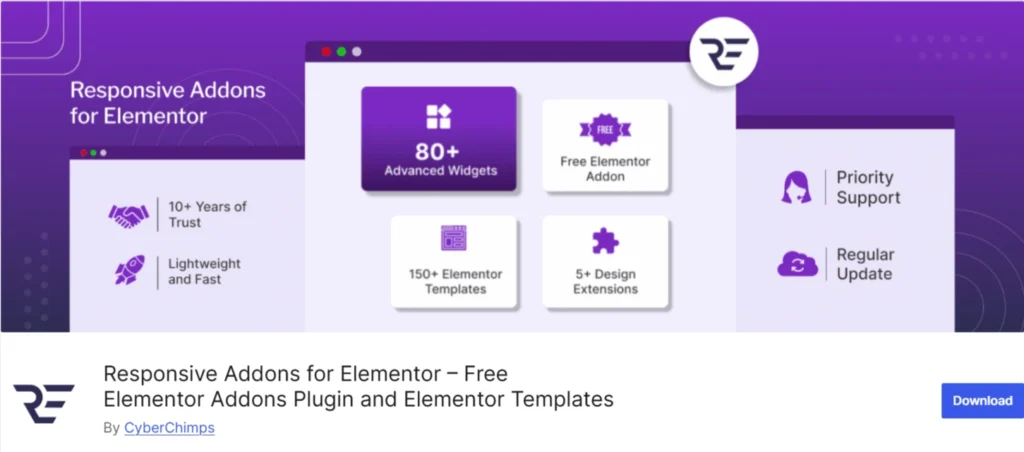
Responsive Addons for Elementor is a free Elementor Addons plugin. It adds over 80 useful widgets, and I found myself using many of them right away.
When I started using Responsive Addons for Elementor, it instantly felt like a natural upgrade to my Elementor setup.
What I liked most is how well everything adapts to different screen sizes. Elementor already has good responsive controls, but this addon gives me even more flexibility when I’m fine-tuning layouts.
Overall, it helped me create cleaner, more consistent designs across all devices without much effort. It just made the whole page-building experience smoother for me.
Installing and Activating the Responsive Addons for Elementor Plugin
Before we go any deeper, let me quickly share how I installed and activated Responsive Addons for Elementor on my site.
Step 1: Open Your WordPress Dashboard
I logged in to my WordPress Admin panel and started from the main dashboard.
Step 2: Go to Plugins
I clicked on Plugins in the left menu. Then click on Add New Plugin.
Step 3: Search for the Plugin
I used the search bar and typed responsive addons for elementor.
Step 4: Click Install Now
I clicked the Install Now button and the installation completed within a few seconds.
Step 5: Activate the Plugin
After installation, I clicked Activate.
Step 6: Check Elementor Widgets Panel
I opened Elementor to confirm the new widgets were added.
Key Features
Free Elementor Addons Plugin
Responsive Addons for Elementor is a free plugin listed on the official WordPress plugin repository, which makes it easily accessible to all users.
It includes more than 80 widgets, along with starter templates and essential features that focus on performance and clean design.
From beginners building their first site to advanced users looking for a scalable solution, RAE offers solid value without forcing an upgrade. The availability of free support further strengthens it as a reliable option.
80+ Elementor Widgets
From my experience, one of the biggest strengths of the RAE plugin is its extensive widget library. With more than 80 widgets available, it covers most use cases you’d typically need while building pages with Elementor.
The plugin integrates smoothly with Elementor, so there’s no learning curve. Everything feels native, and the widgets blend well with the existing Elementor interface.
I also found the specialized WooCommerce widgets quite useful. If you’re building an online store, these widgets save time and reduce the need for extra plugins.
RAE is built with mobile responsiveness in mind, and it offers good SEO optimization potential when used correctly. This makes it suitable for websites that care about performance and visibility in search engines.
Another positive is that the plugin keeps up with current design trends. New updates focus on modern layouts and usability rather than just adding features for the sake of it.
Extensions
RAE Sticky Section
If you want a specific section on your website to be fixed on the screen while you scroll, Sticky Section can come handy.
Particles Background
If you want to add visually appealing particle effects to your website’s background, you can do that easily using the Particle Background extension in the Responsive Addons for Elementor (RAE) plugin.
With RAE’s Particle Background feature, you can add dynamic background effects in just a few clicks. It comes with multiple pre-built styles such as;
- Polygon,
- NASA,
- Snow,
- Snowflakes,
- Christmas, and
- Halloween, making it easy to match the effect with your website’s theme or seasonal design.
Cross Site Copy Paste
This feature lets you easily copy sections from one website and use them on another.
It saves a lot of time and replicates every element accurately, so you don’t have to rebuild sections from scratch.
RAE Duplicator
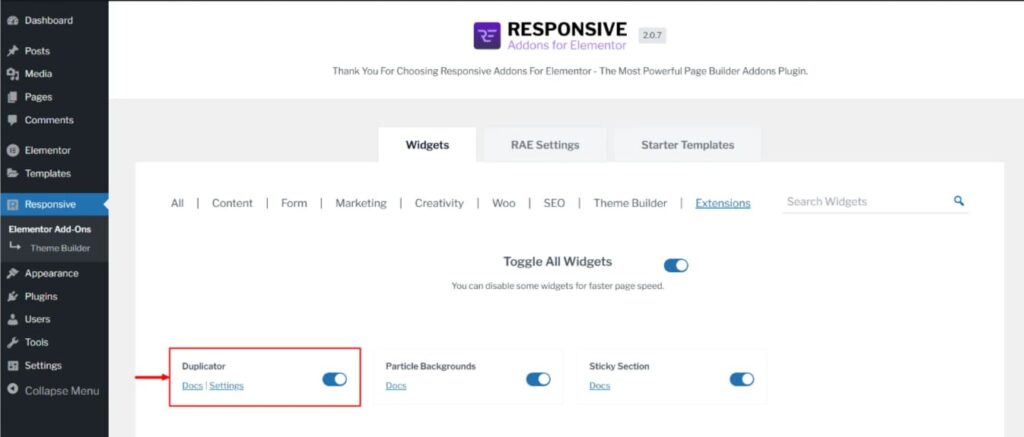
With the RAE Duplicator, you can copy any post type with a single click. This way you don’t need to save templates, export templates and then re-import on other websites to build the same page from scratch.
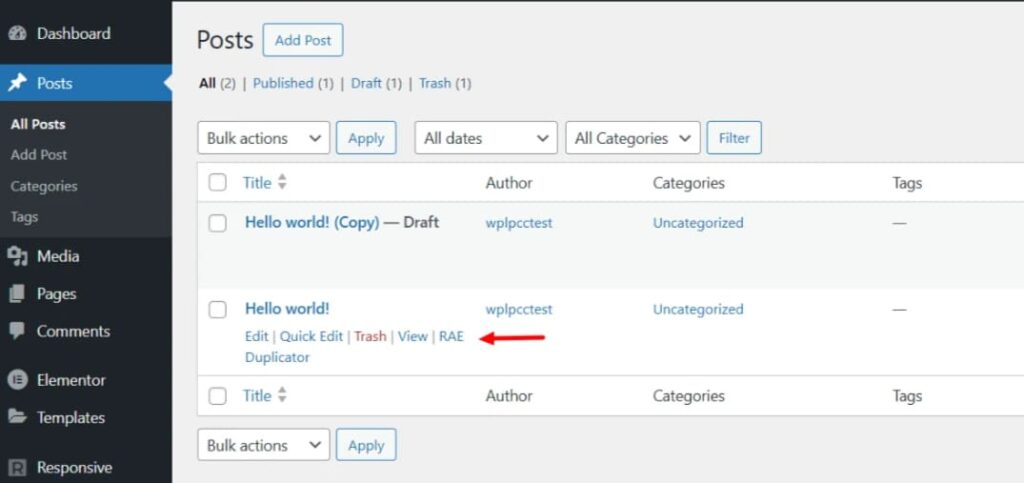
It’s useful when you want to reuse a layout or create similar posts quickly, without rebuilding everything from scratch.
Animations
While some plugins like Essential addons and Elementskit have the animations feature in their paid versions, you can use the animations feature available for free in the RAE plugin.
Using the feature, you can add horizontal and vertical scroll animations that will help in creating engaging pages and hook your visitors on your website.
Theme Builder
Responsive Addons for Elementor includes an advanced Theme Builder that lets you customize almost every part of your website.
What stood out to me is that the RAE Theme Builder is available in the free version. In many popular Elementor addons, this feature is locked behind a paid plan.
With the RAE Theme Builder, you can easily create custom headers and footers. You can easily create a:
- Header,
- footer,
- Single Page Template,
- Single Post Template,
- Error 404 page,
- Archive Pages,
- Single Product page,
- Products Archive page
The theme builder works smoothly with popular WordPress themes such as Cyberchimps Responsive orKadence, etc. This makes it easier to replace default theme layouts with custom designs built using Elementor.
Functionally, it offers the same core features you would expect from a plugin like Header Footer Elementor, without needing to install an extra plugin just for basic header and footer control.
You can create new templates or edit existing ones directly from the dashboard. While editing a template, you also get useful settings like template type, display conditions, and user role visibility, giving you better control over where and how each template appears on your site.
RAE Plugin Review: Pros and Cons
Pros of Responsive Addons for Elementor ✅
- Extensive Widget Library: Offers 80+ widgets, covering most common design requirements without needing extra add-ons.
- Smooth Elementor Integration: Works seamlessly with Elementor, making it easy to use even for beginners.
- WooCommerce Widgets: Includes dedicated widgets for building and customizing WooCommerce product and shop pages.
- Responsive & SEO-Friendly: Designed to be mobile-friendly with clean code that supports performance and SEO.
- Regular Updates: The plugin is actively developed and keeps up with modern design trends.
- Free Version Available: A useful free version lets you try core features before committing to a paid plan.
- Helpful Support Team: Backed by Cyberchimps, which is known for providing reliable and responsive support.
Cons ❌
- New advanced widgets can be added.
- Advanced Extensions can be added like scroll animations, GSAP features, etc.
FAQ
Yes. Responsive Addons for Elementor offers a free version that includes a 80+ widgets, extensions and amazing features. For many basic to intermediate Elementor use cases, the free version is enough to get started.
Yes, because RAE is absolutely free compared to ElementsKit.
But, it also depends on your use case. Responsive Addons focuses more on simplicity, performance, and essential widgets, while ElementsKit offers a broader feature set with heavier modules. If you prefer a lighter plugin with fewer distractions, Responsive Addons can be a better fit.
Again, this comes down to requirements. Essential Addons is more mature and feature-rich, but Responsive Addons offers a cleaner experience, simpler UI, and a useful free version. For users who want fewer widgets and better control, Responsive Addons for Elementor may feel easier to work with.
Conclusion on Responsive Addons for Elementor Review
Responsive Addons for Elementor is an excellent plugin that beats most of the paid plugins based on their paid features.
There is no doubt the elementor addons plugin is saturated and finding this gem is difficult because of WordPress search and ranking systems.
However, if you want to design high quality, fast loading elementor websites then I would seriously recommend the free Responsive Addons for Elementor plugin.
Recommended Reading:
